
Hello All, Welcome back to My Blog . In this blog we will learn how easy it is to use the IONIC 5 Framework.

What is Ionic ??
Ionic is a powerful HTML5 SDK that helps you build native-feeling mobile apps using web technologies like HTML, CSS, and Javascript. Ionic is focused mainly on the look and feel. UI interaction of your app.The goal of using this Ionic Framework is to build mobile apps easily using Web Technologies.
How to install Ionic 5 Framework??
Firstly we will Install the Ionic CLI using npm:
$ npm install -g @ionic/cliNote :Make sure you have NODE.JS pre-installed on your system
With above command we can install Ionic CLI .
For all the newbie coders and new linux users I would like to inform you all that we use ‘ -g ‘ to install the particular package globally
How to Initiate Ionic Framework?
Now as Ionic installed successfully we can start Working on app.We can make app with some pre-defined templates like blank , tabs , and sidemenu.As name suggest blank starter provides blank UI, blank , tabs starter provides tabs at the bottom, and sidemenu provides us previously done sidemenu.Let’s see the Commands for each one by one.
$ ionic start UI/UX_Demo //it start the blank app by default.
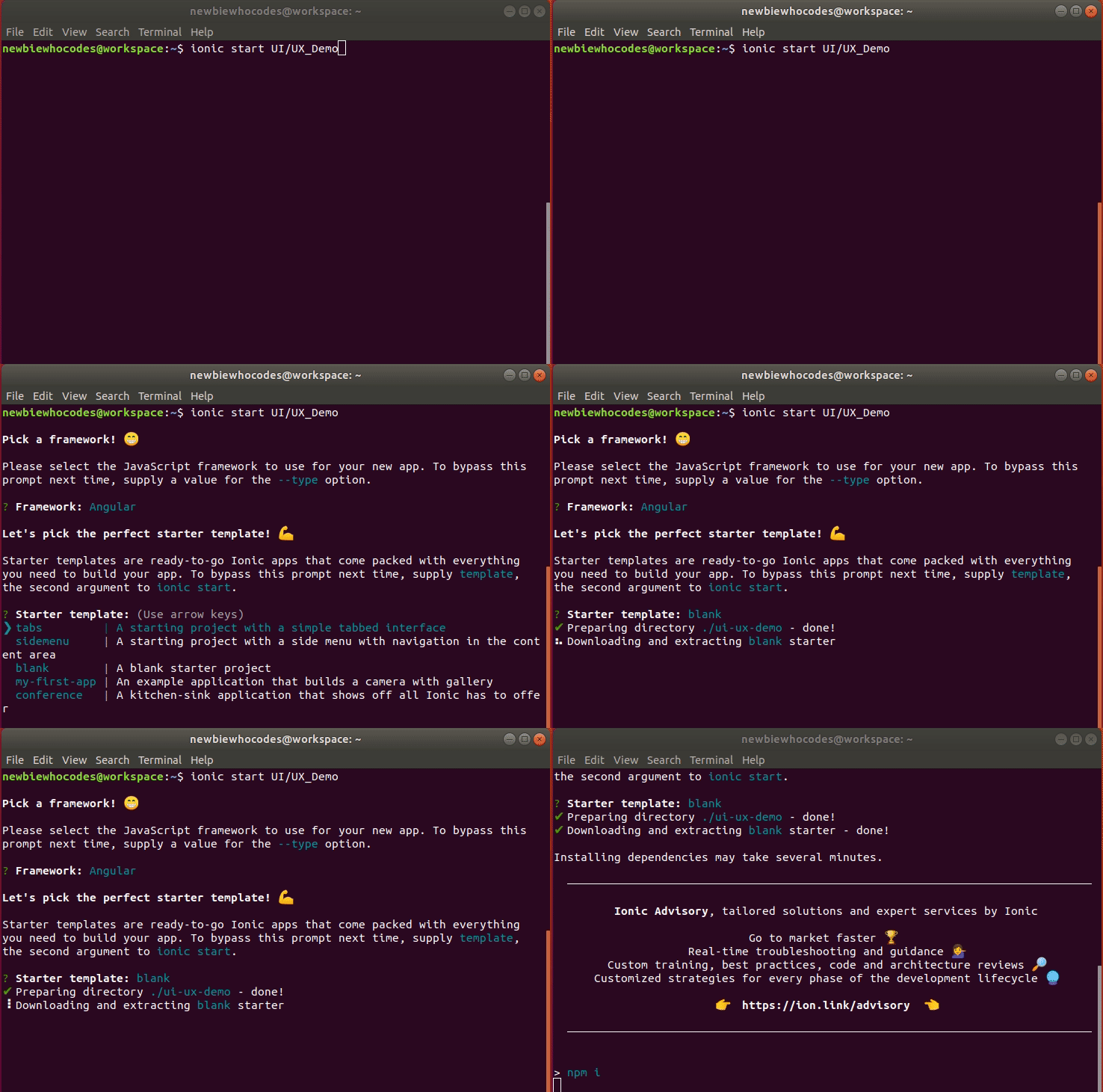
$ ionic start UI/UX_Demo blank //to start the blank app.

$ ionic start UI/UX_Demo tabs //to start the app containing Tabs.


$ ionic start UI/UX_Demo sidemenu //to start the app having sidemenu predefined


To See all available templates we can use the following command:
$ ionic start --list

Here we get all three Template mentioned above and in addition to that we have two more Templates i.e.
$ ionic start UI/UX_Demo my-first-app // An example application that builds a camera with gallery
This Template is used to demonstrate an example application that builds a camera with gallery
$ ionic start UI/UX_Demo conference // A kitchen-sink application that shows off all Ionic has to offer
And This one is used to demonstrate A kitchen-sink application that shows off all Ionic has to offer
How to check if its Working ??
You can check if ionic is installed properly or not .All you need to do is Run the following Command in working directory.
$ ionic serve Note: Make sure you are in Working Directory ; If not then you can go to that directory using ” $ cd directory name ” .
For example :
$ cd UI/UX_DemoTo get started with Basic UI/UX design Visit next page .
 Programming with NewbieCodes
Very informative 😃
LikeLike